
How to Get Real-Time Alerts on Open Interest Changes

Trader turned software engineer, with 4+ years building systems for crypto exchanges. Founder of AnomIQ, a real-time crypto anomaly scanner for quantitative traders.

An AnomIQ scanner can watch open interest on every Binance and Hyperliquid perpetual and alert you when it crosses your threshold. Setup takes about two minutes.
Want the theory first?Open Interest Scanner: Reading OI Change With Taker Flow covers why OI needs taker flow for direction, how to pick a window, and what a good threshold looks like.
Step 1: Create a scanner
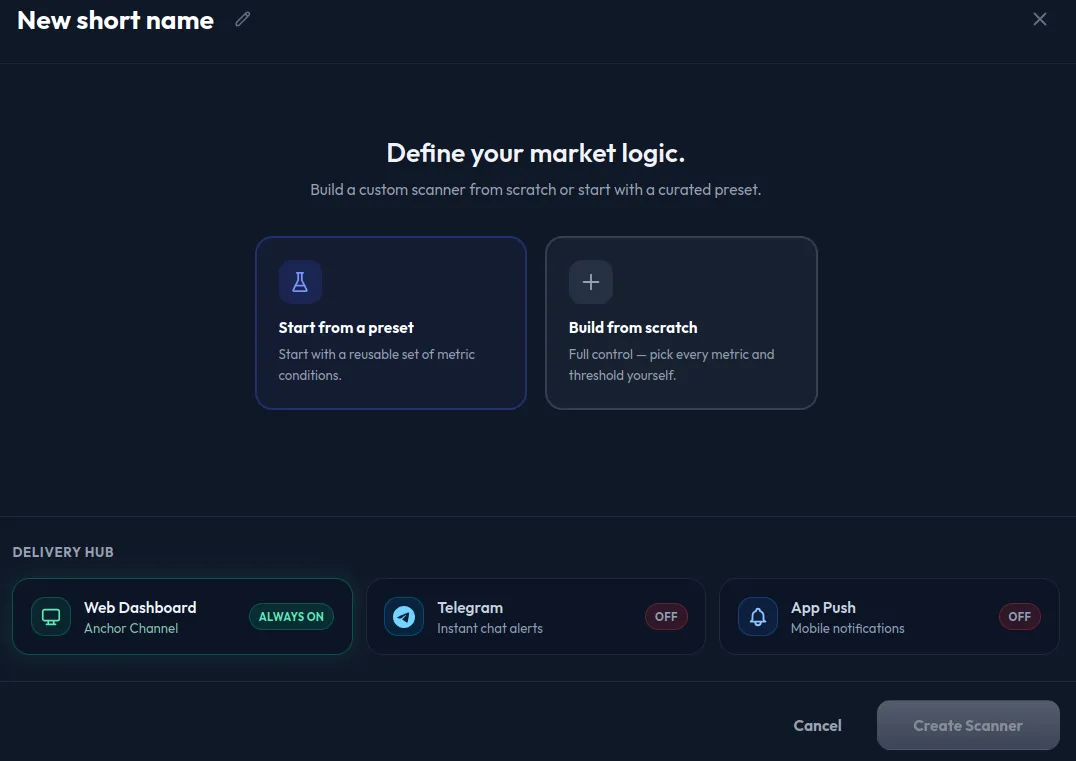
Click New scanner and give it a short, specific name you’ll recognize later, like “Perps OI 15m” instead of “Scanner 1.” Then choose Build from scratch. (Start from a preset loads a ready-made rule instead.)
Step 2: Add an OI Change % condition
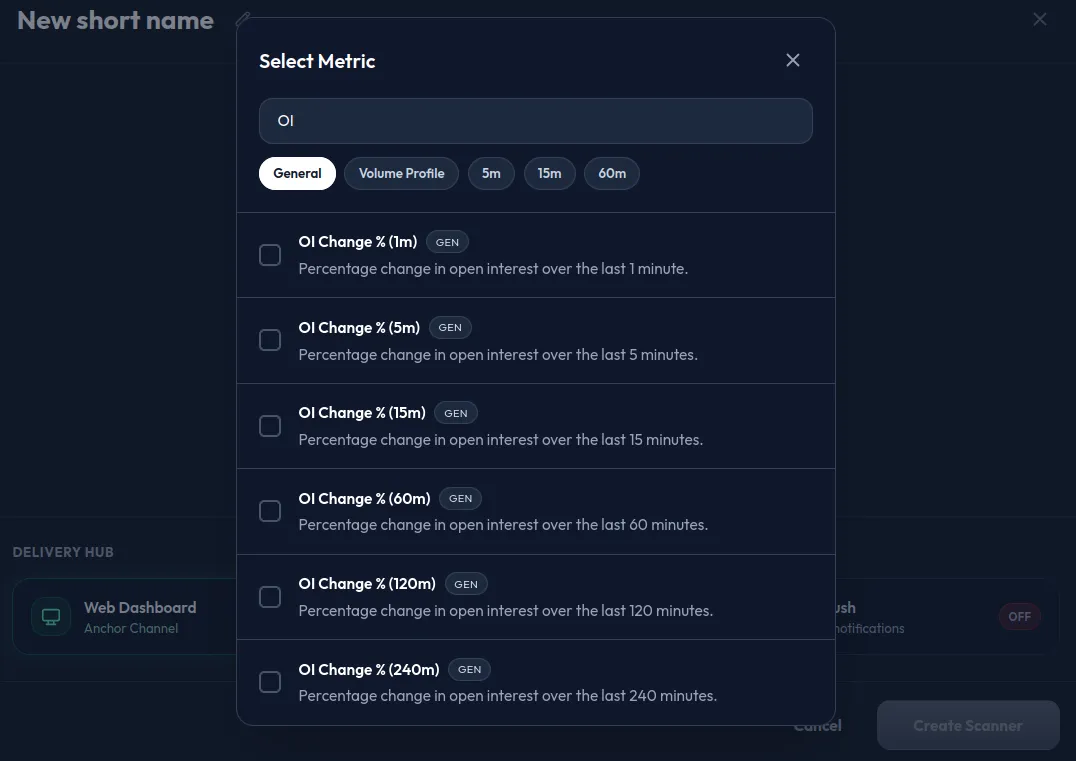
Click Add Condition and select OI Change %. It’s on the General tab of the metric picker (search “OI”), with six fixed windows: 1m, 5m, 15m, 60m, 120m, and 240m. Pick one based on what you want to catch:
- 1m, 5m, or 15m for position flow as it develops
- 60m, 120m, or 240m for a sustained, structural build rather than a single spike
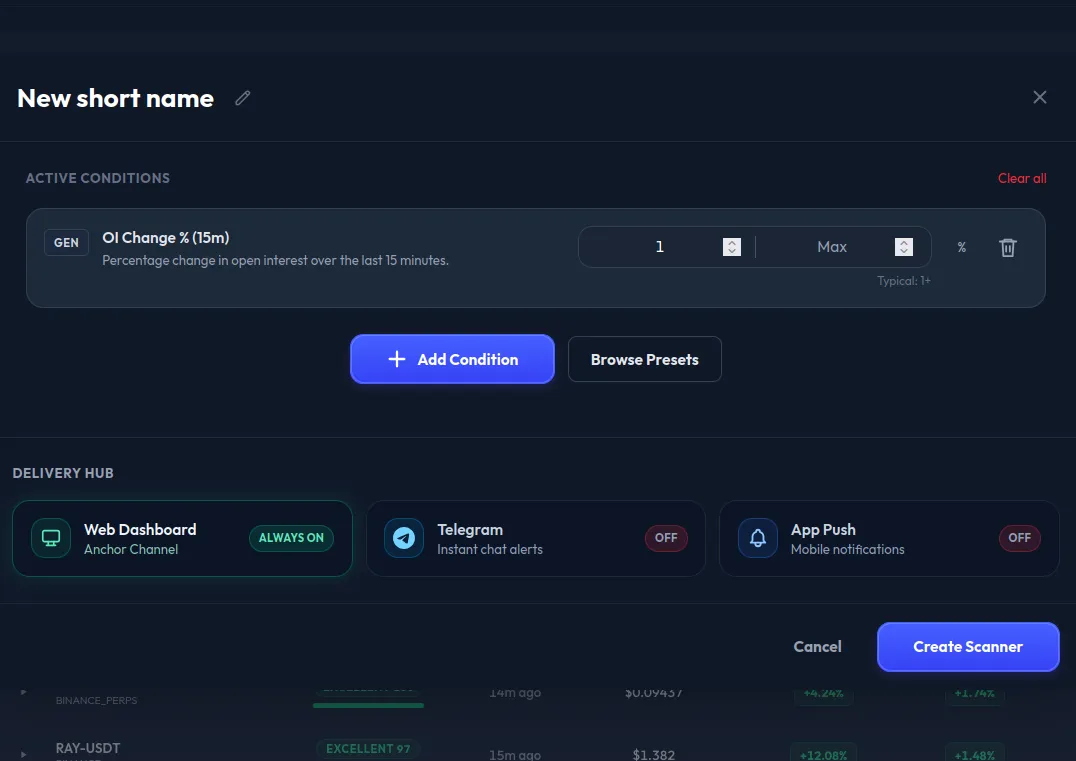
Set your threshold. Once added, the condition shows a typical value under its input, the product’s suggested minimum: 0.2% on 1m, 0.5% on 5m, 1.0% on 15m, 2.0% on 60m, 3.0% on 120m, and 5.0% on 240m. Start there, then tune once you see how often it fires. Open interest is direction-neutral, so if you only want buy-side builds, add Net Taker Imbalance (15m) above 20 from the 15m tab.
TIP
The Open Interest filter counts coins, not dollars: 1,000 means 1,000 BTC on BTC but 1,000 tokens on a $0.01 coin, so one number can’t set a dollar floor across every contract. To keep thin contracts from firing on small position changes, add Today Volume in $ (the product suggests at least 500,000) and Liquidity score 0-100 above 80.
Step 3: Choose how you’re notified
At the bottom of the modal, find the Delivery Hub. Web Dashboard alerts are always on and free, your anchor channel on any plan. Telegram and App Push need a paid plan:
- Telegram: the first time, the toggle opens a Telegram link that connects the AnomIQ bot to your account. After that it’s one click per scanner.
- App Push (NTFY): the toggle creates a topic for this scanner and opens it on AnomIQ’s NTFY server (
ntfy.anomiq.io). Subscribe to it in the NTFY app to get alerts on your phone without a browser tab open.
Click Send Test Alert to check the channel before you save.
Step 4: Save it
Click Create Scanner. The scanner runs on AnomIQ’s servers against every tracked perpetual from then on, so it keeps checking with the dashboard closed. Matches wait on the dashboard when you return, and on the paid plan they also reach Telegram or NTFY. When one fires, open the coin’s Deep Dive to see open interest change against taker flow, minute by minute.
Free accounts see matches on the web dashboard with a 30-minute delay: fine for a slow structural build, too slow for a 5m spike. Paid accounts get real-time delivery as soon as an OI update meets your filter criteria, Telegram and NTFY push, and up to 10 concurrent scanners instead of 2. Run two scanners at different windows, a 5m scanner for fast flow and a 240m scanner for sustained builds. A contract that shows up in both is adding open interest now, on top of a four-hour build.
Frequently asked questions
Is real-time open interest alerting free?
Free accounts get web-only alerts on a 30-minute delay. Paid accounts get real-time delivery as soon as an OI update meets your filter criteria (open interest refreshes every 10 to 15 seconds), plus Telegram and NTFY push notifications.
Can I track open interest changes for one specific coin?
Yes, in Market Overview. Type the symbol into Filter by symbol… and add an OI Change % condition with the Filters button, which uses the same metric picker as the scanner. The table then shows whether that coin meets the condition, live on the paid plan and 30 minutes behind on free. Alerts work differently: a scanner checks every tracked market, so Telegram and NTFY alerts can’t be limited to one coin. For one coin’s open interest minute by minute, open its Deep Dive.